
Free Personal Budget Template: Master your personal finances
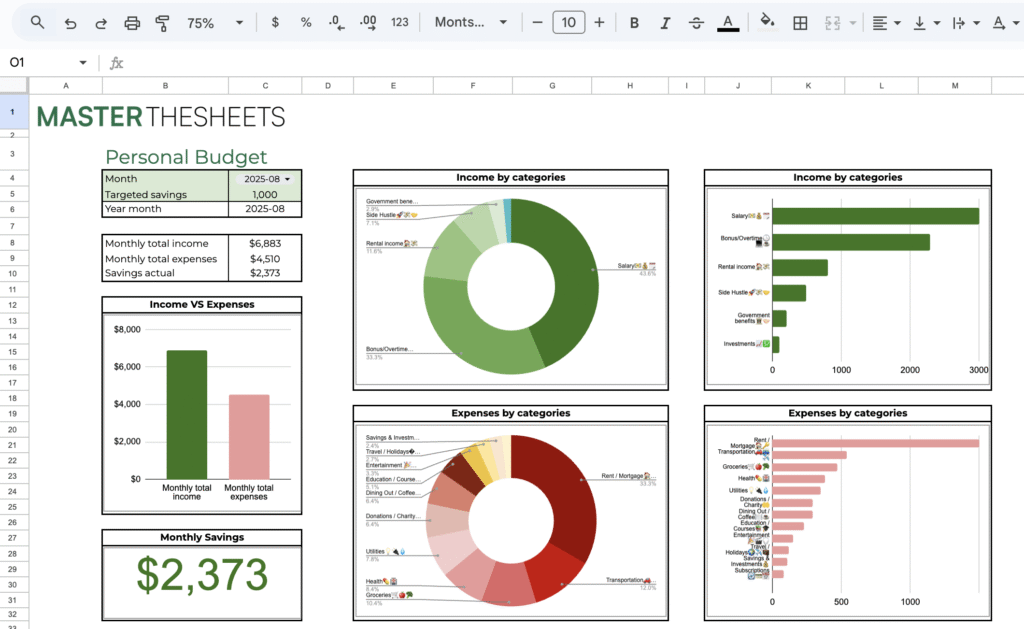
Struggling to stay on top of your money? This free personal budget template will simplify your financial tracking and planning with clear visuals, automated calculations, and easy-to-use input sections. Designed for Excel and Google Sheets, it’s the perfect tool to take control of your personal finances without overwhelm.
Why You Need a Personal Budget Template
Managing money effectively starts with good data. Our template helps you:
- Track monthly income and expenses effortlessly
- Monitor savings progress with real-time comparisons
- Analyze spending by categories with percentage breakdowns
- Visualize your financial health with an intuitive dashboard
This simple yet powerful tool is ideal for beginners and seasoned budgeters alike. It complements other popular tools like our Excel basics tutorials and business budget templates, helping users at all levels become more confident with spreadsheets.
Key Features of the Personal Finances Template
Streamlined Input Sheet
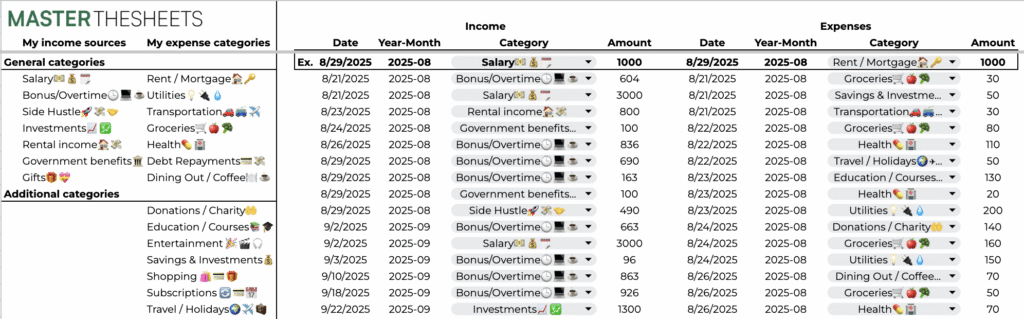
Enter your monthly income and expenses in clearly marked green cells. The template automatically updates all totals and savings calculations, reducing manual work and errors.
Savings Goal Tracking
Set savings targets and instantly see how you’re performing against your goals — a critical step toward financial discipline and growth.
Detailed Category Analysis
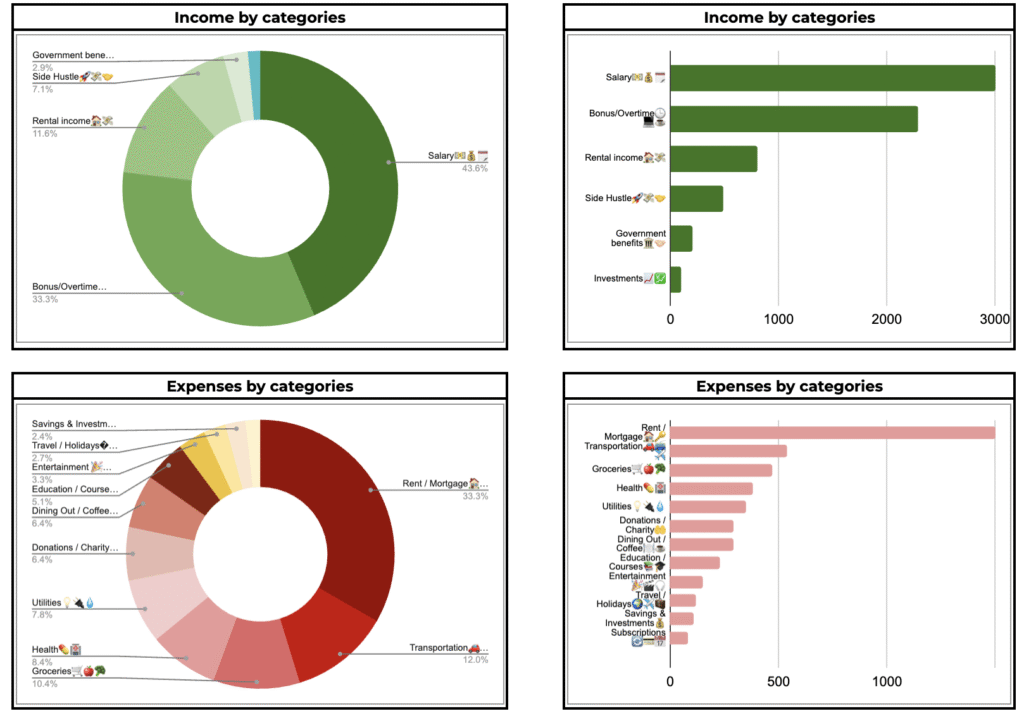
Breakdown your income and expenses by category with share percentages. Identify major spending areas and discover where you can optimize your budget.
Clear, Visual Dashboard
Keep your financial situation front and center with charts and summaries that update as you enter data. This dashboard enables quick decision-making and progress monitoring.
Who Should Use This Template?
- Beginners wanting simple, no-fuss budgeting solutions in Excel or Google Sheets
- Entrepreneurs and freelancers balancing personal and business finances
- Followers of our Excel formula and chart tutorials looking for practical applications
- Anyone wanting a customizable, free budgeting tool that grows with their knowledge
How to Get Started
- Download or open the template in Google Sheets.
- Navigate to the “INPUT” tab and fill in your income and expenses using the green input fields.
- Watch totals, savings, and charts update automatically.
- Use insights from the dashboard to adjust spending and hit your savings targets.
Boost Your Financial Productivity
Combine this tool with our other productivity resources like time-saving Excel templates, pivot table guides, and automation hacks to streamline your budgeting workflow. Understanding basic Excel functions such as SUM, AVERAGE, and COUNT – covered extensively in our tutorials – will elevate your financial modeling and reporting skills.
Download the Free Personal Budget Template Now
Take the first step toward financial clarity. Make your own copy of this free personal budget template for Excel and Google Sheets and start managing your money effectively today. It’s the perfect companion to your growing spreadsheet skills toolkit from masterthesheets.com.